Open source · Windows & macOS
Intelligence Built For Execution
AI-native OKX perpetual terminal. Realtime markets, charts, execution, and strategy research share one live state.
Workspaces
Markets, charts, orders, intelligence, and Python research read the same realtime data and write to the same audit context — no bridging between separate tools.
OKX Public, Business, and Private WebSocket streams behind depth and trades, a compact ticket, limit/market/algo orders, TP/SL, OCO, amend and cancel, and full position management.
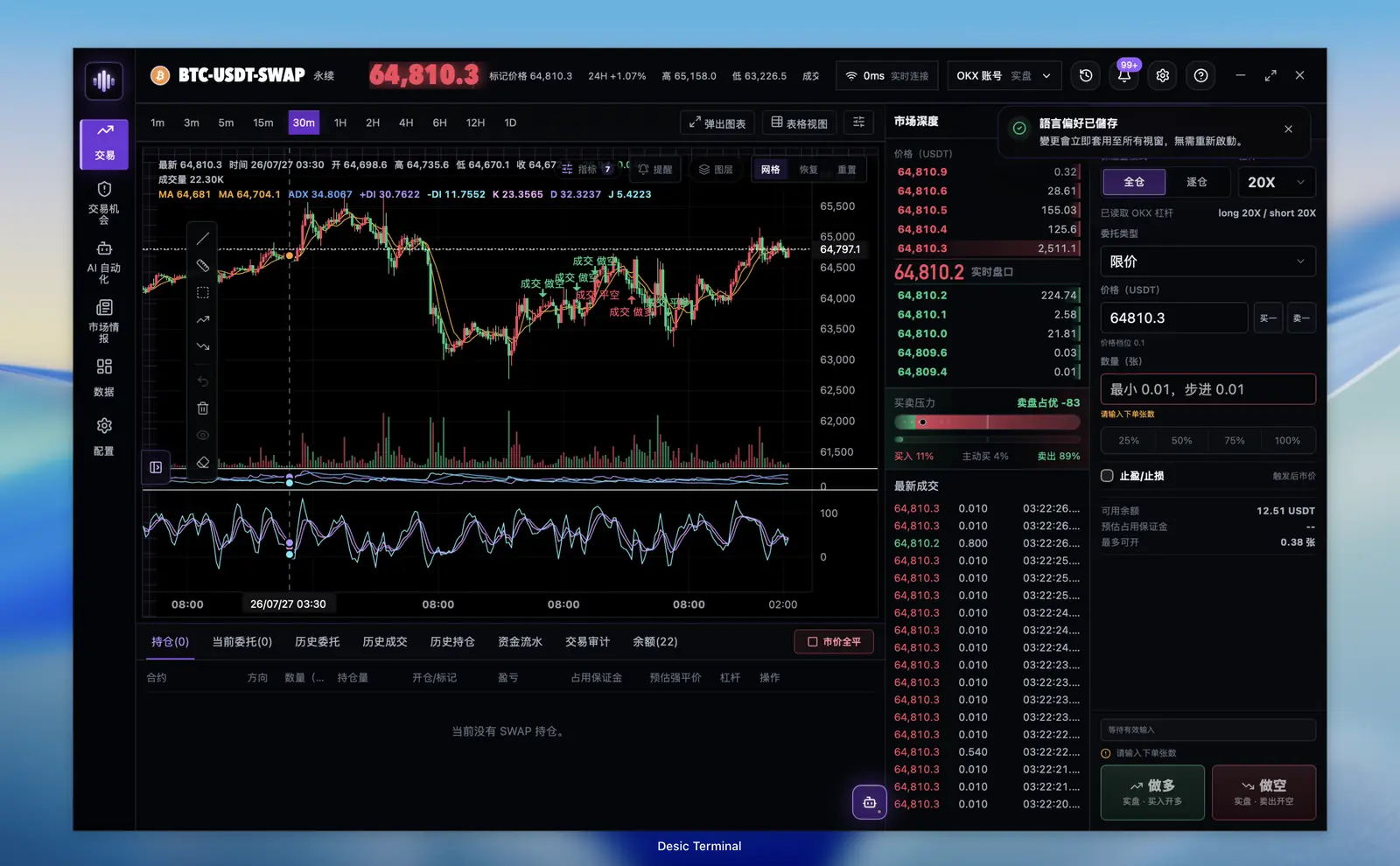
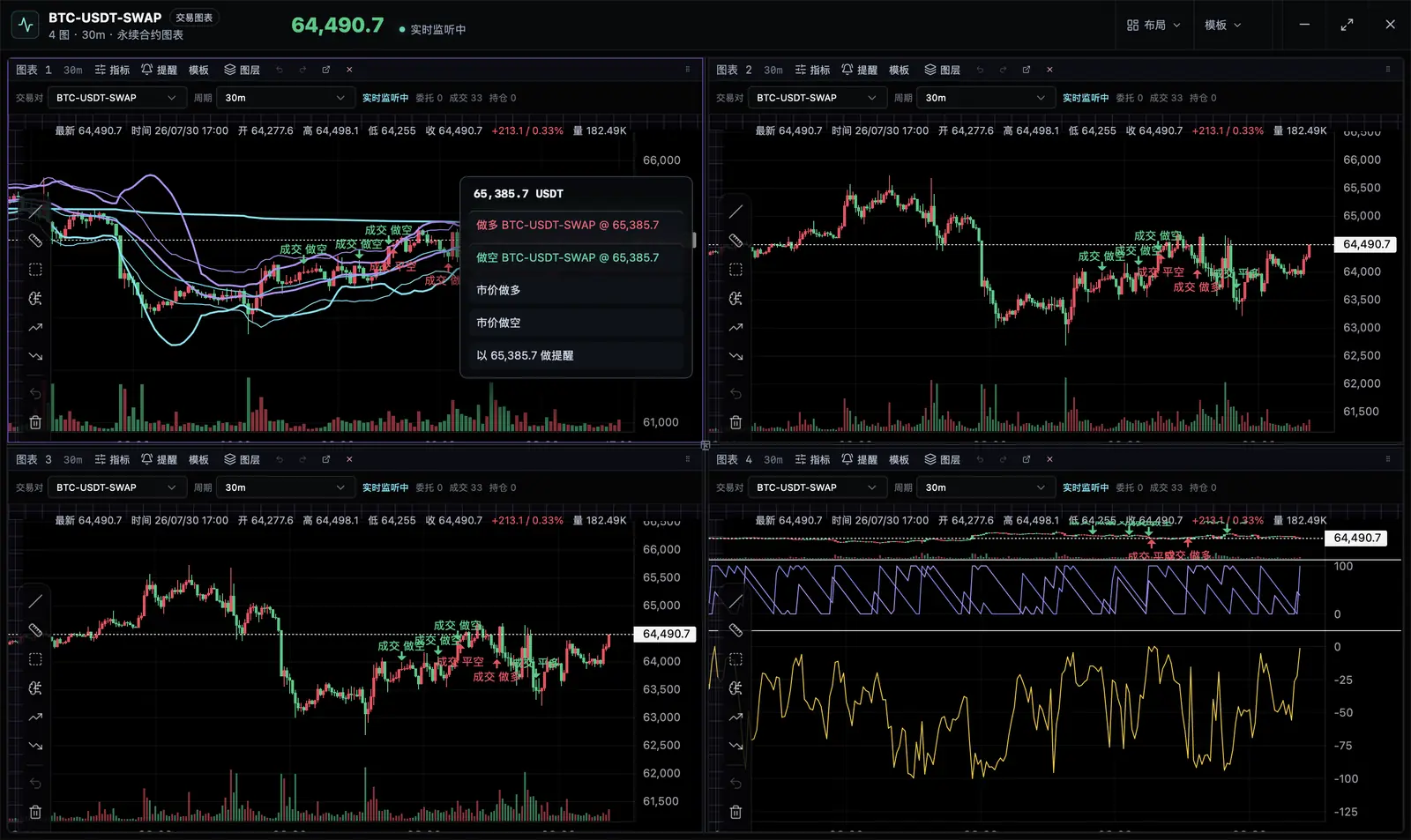
11 timeframes from 1m to 1D, 24 built-in indicators across 9 overlays and 15 oscillators, 12 drawing tools, layer management, quick trading on the chart, and detached multi-chart windows.
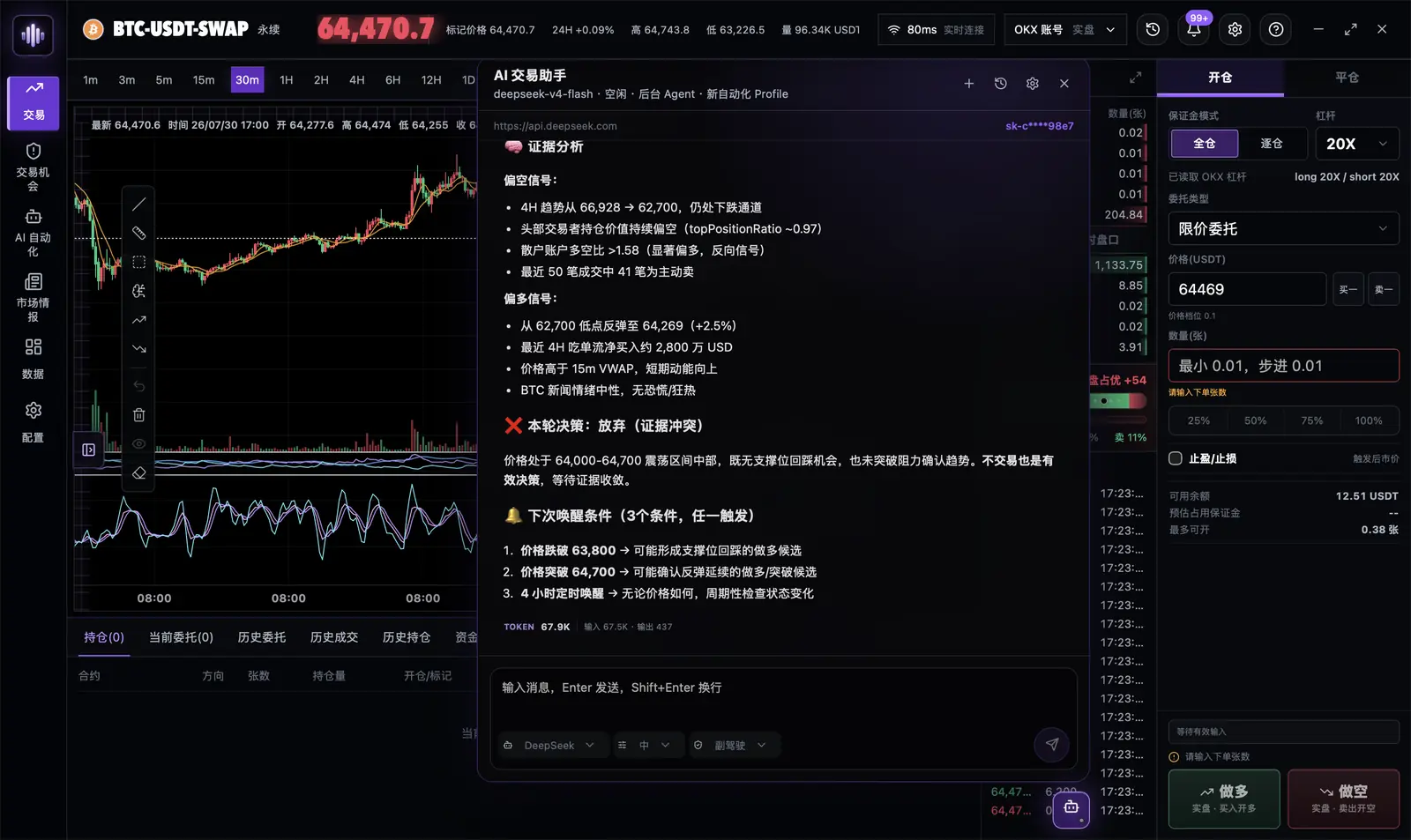
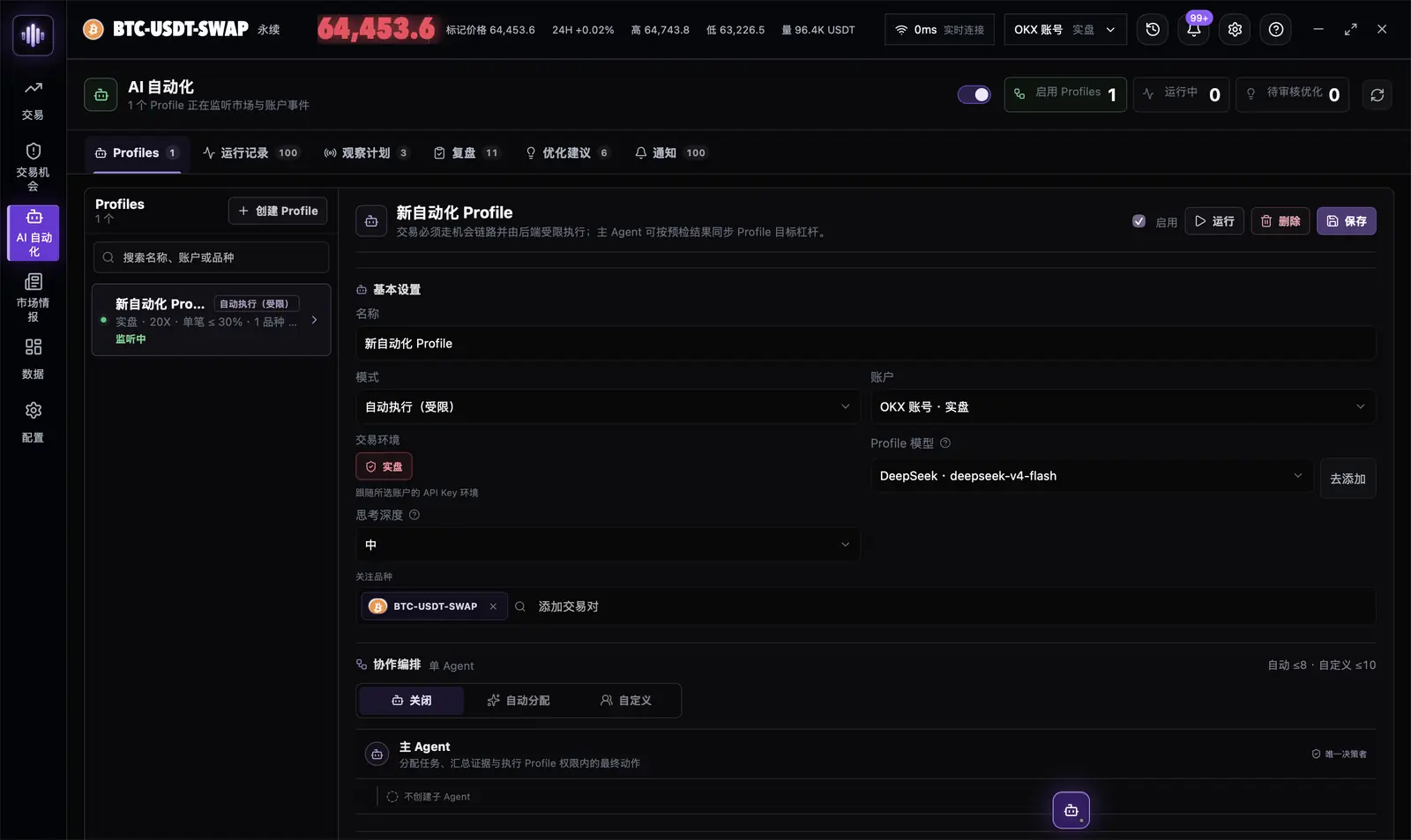
Streaming reasoning over allowlisted tools that read real account and market evidence. 10 providers plus the official Codex CLI and Claude Code channels, or any OpenAI-compatible endpoint.
A bundled, checksum-verified CPython 3.13 runtime — no setup. Write Python strategies, backtest across up to 366 days of 1-minute data, tune parameters, and pin an exact immutable version to every run.
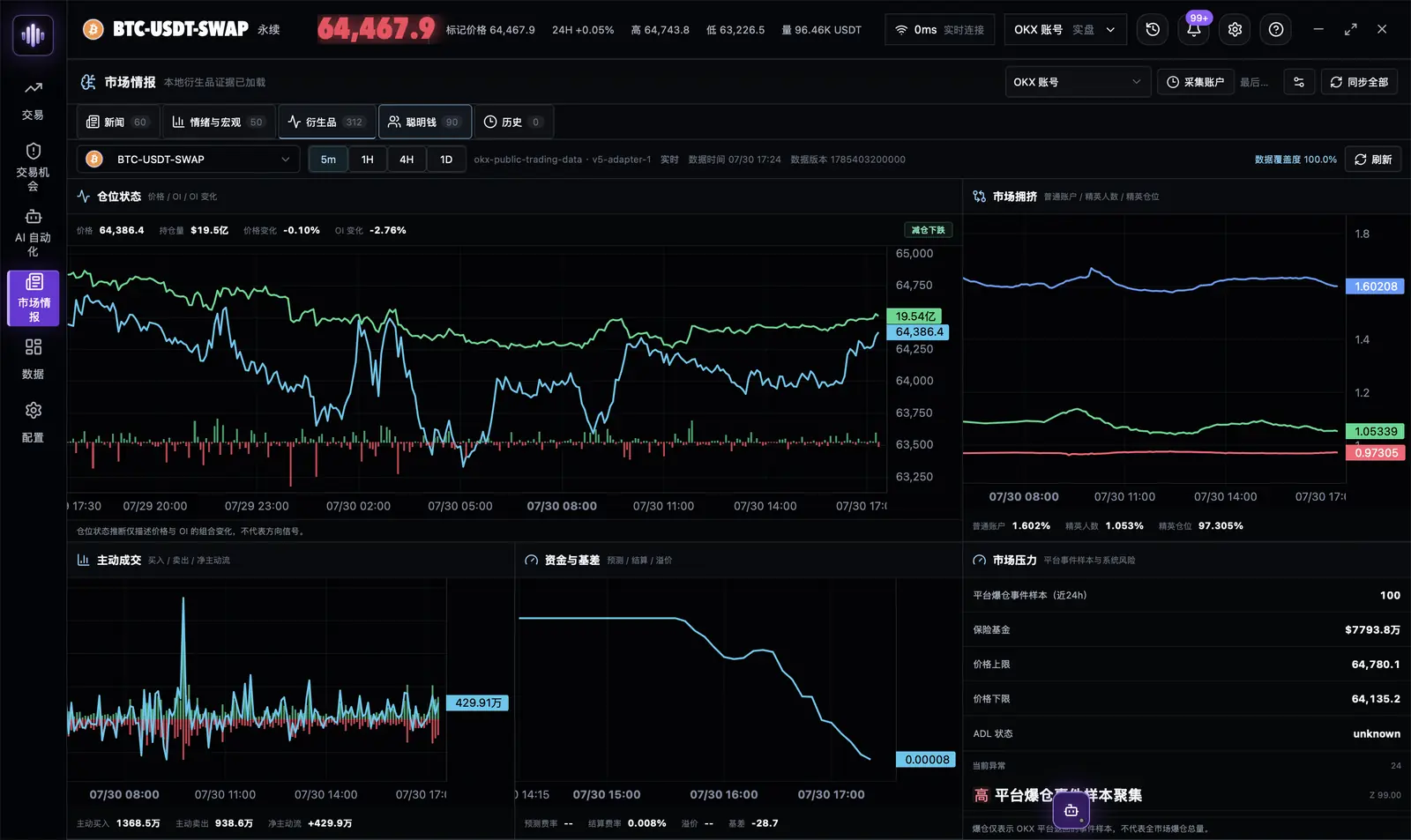
News and clustered events, coin sentiment, the economic calendar, open interest, taker flow, crowding, funding, basis, Smart Money activity, and system stress — stored locally as attributable evidence.
Safety model
What the model may do is enforced by the runtime, not requested in text. A call passes sidecar tool visibility, agent runtime policy, Rust account and environment binding, contract validation, trade precheck, live confirmation, idempotency control, and a persisted audit record.
| Mode | Read market & account | Trade opportunities | External trade side effects |
|---|---|---|---|
advisor |
Yes | No | Forbidden |
copilot |
Yes | Create, modify, reuse | User approval required |
limited_auto |
Yes | Submit via frozen candidate | Profile-authorized scope only |
Risk-increasing operations fail closed. Risk-reducing paths such as closing a position stay available. API keys should never carry withdrawal permission, and demo and live trading use separate credentials.
Download
MIT licensed. Everything runs on your machine: your keys stay in the OS credential store, and market history lives in a local database.
Installers are not code-signed yet. No Apple Developer ID or Windows Authenticode signature.
On macOS, move the app to Applications, then right-click it and choose Open. If it is still blocked, go to System Settings → Privacy & Security and choose Open Anyway. On Windows, SmartScreen may warn on first install — confirm the download came from this repository before continuing.
Contact
The QQ group is the fastest way to reach us. Bug reports and feature requests are best filed as GitHub issues so they stay tracked.